Running a Rapid Response Test
In many cases, Rapid Response details pages and tables will provide a link to run a Rapid Response test. This is a targeted test during which NodeZero will check your assets for that vulnerability, and will attempt to exploit it, as a benign assessment of its severity. NodeZero will not look for, nor report on, any other vulnerabilities during a
For example, to get started from a Relevant Assets table, you can select check boxes beside the assets you want to test, then select

This will expose the test configuration panels shown in the screenshot below, and described in the next few sections.
Rapid Response Selection
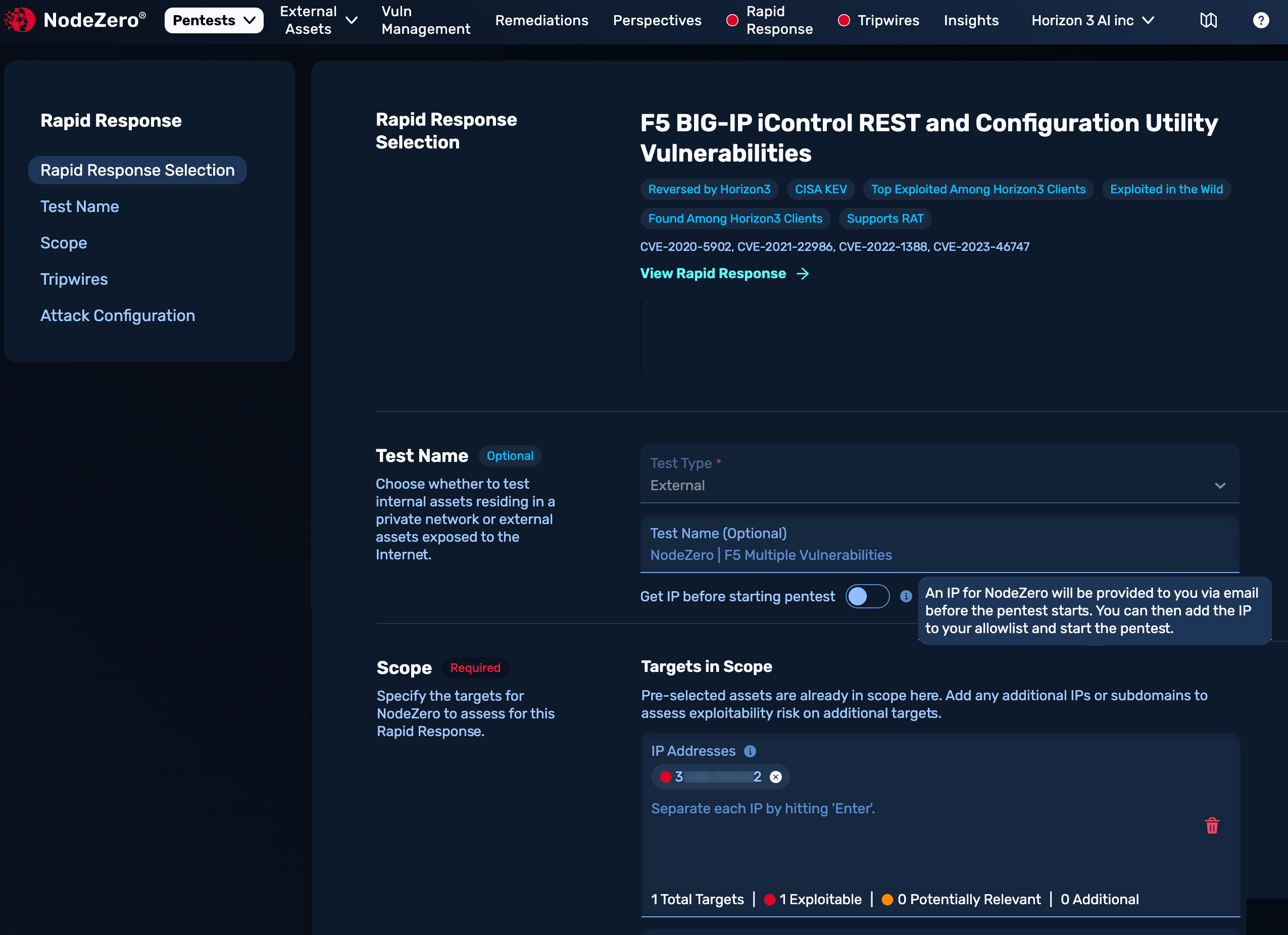
This first section on the Rapid Response Test page, shown below, confirms the Rapid Response advisory you've chosen to test. It displays a subset of the metadata from the corresponding Asset Details page, including current status tags. Click the teal link to navigate to the full page.
Test Name
This section (shown above) confirms whether you'll run an Internal or External pentest. Options include override the default test name and (for External tests) enabling Get IP before starting pentest if you need to allowlist IP addresses.
Scope
This section will vary for External (shown above) versus Internal tests. Here, you have the option to expand or modify the test's scope, compared to the group of assets you selected before opening this config modal. You can add a single IP or a block of IPs.
Additional Controls
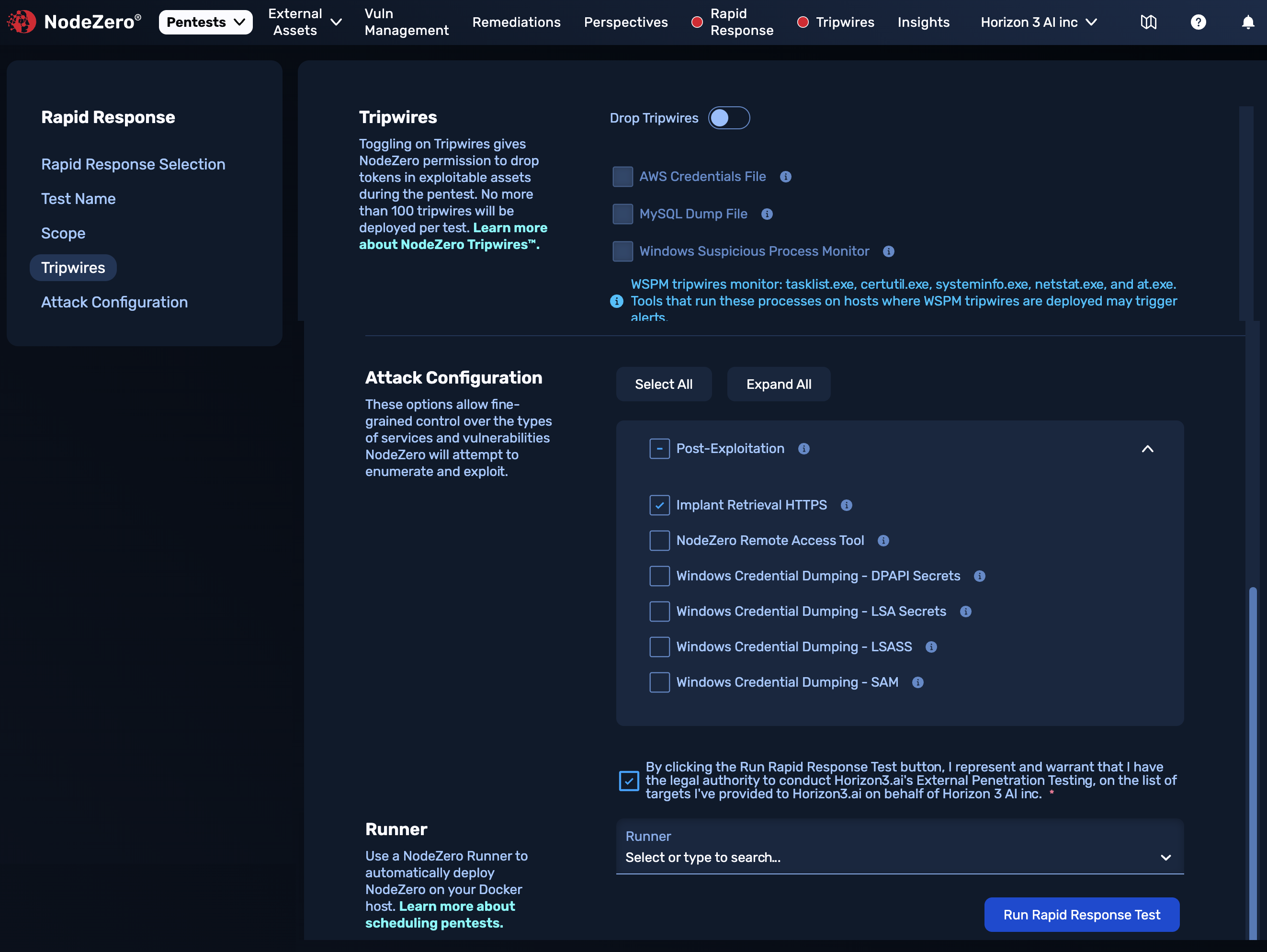
The screenshot below is a composite of remaining controls available for both Internal and External tests, described in the next few sections.
Tripwires
Toggling on Drop Tripwires here exposes check boxes to enable individual types of Tripwires.
Attack Configuration
To navigate the granular options in this section, see details for Internal or External pentests.
Acknowledgment
On External tests, you'll need to select the check box acknowledging that you have authority to test against the enumerated targets.
Runner
On Internal tests, you'll have the option to select a Runner. Runners must be preconfigured before they will be available in this drop-down.
Run the Test!
The final step is to click the Run Rapid Response Test button. If you're running an Internal test without a Runner, you'll need to copy and paste the curl one-liner onto your Docker host. External tests are launched automatically from Horizon3's cloud and require no further action.
You've run a Rapid Response Test
NodeZero sends an email once the test completes.
Test Results
Completed tests are tabulated in each Rapid Response Details page's Relevant Tests section.
There, click a link in the Name column and you'll see the same kind of results page, and reports download options, as for other pentests.
Alternative Tests
For some advisories and assets, even if a Rapid Response Test is not available, you'll still be able to test for the vulnerability within a NodeZero Internal or External pentest.